 DeskFit
Delete your account and data
You can permanently delete your DeskFit account and all associated data directly from inside the app, in under a minute. No need to contact support.
How to request deletion
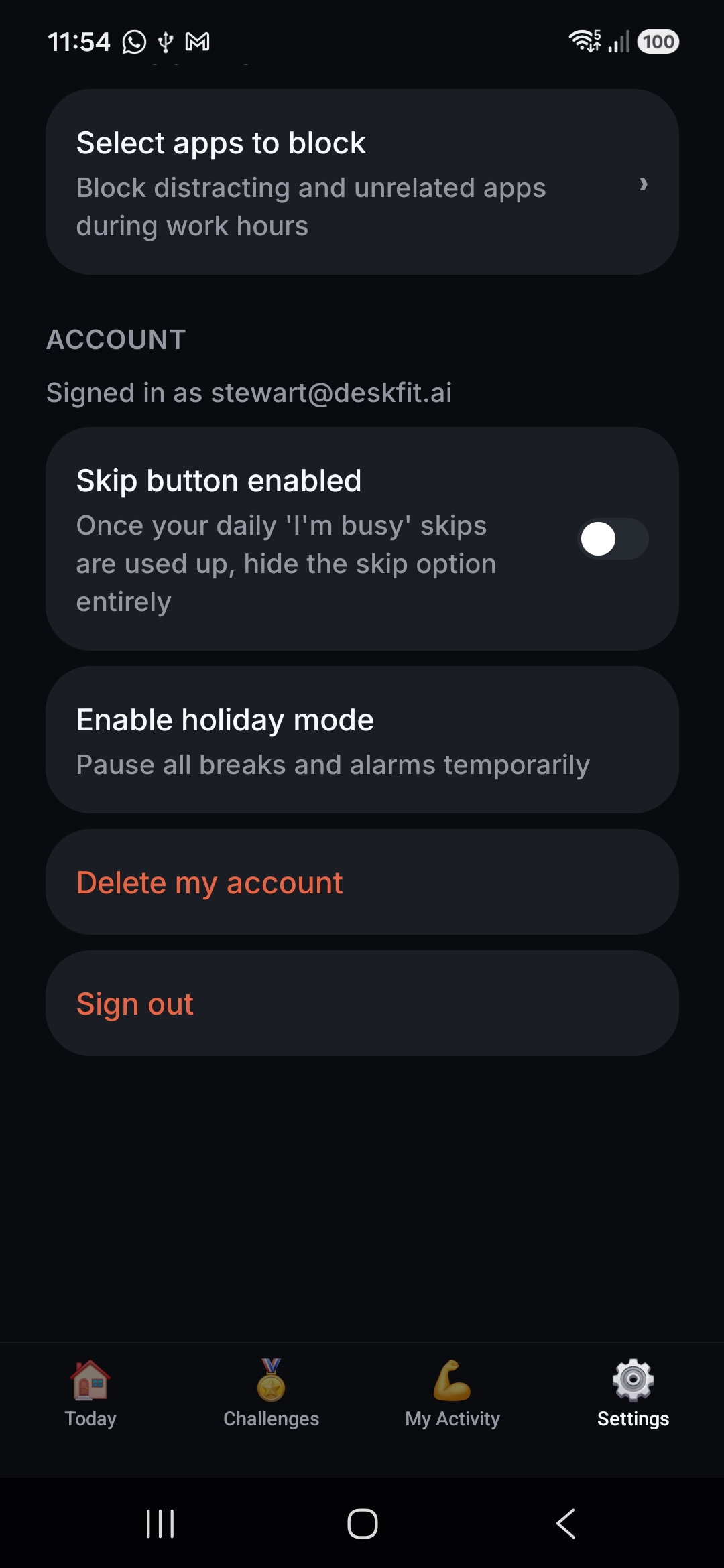
Open the DeskFit app and go to Settings. Under the Account section, above "Sign out", you'll see "Delete my account". Tap it, then type DELETE to confirm.
Go to Settings in the app, then scroll to the Account section and tap "Delete my account".
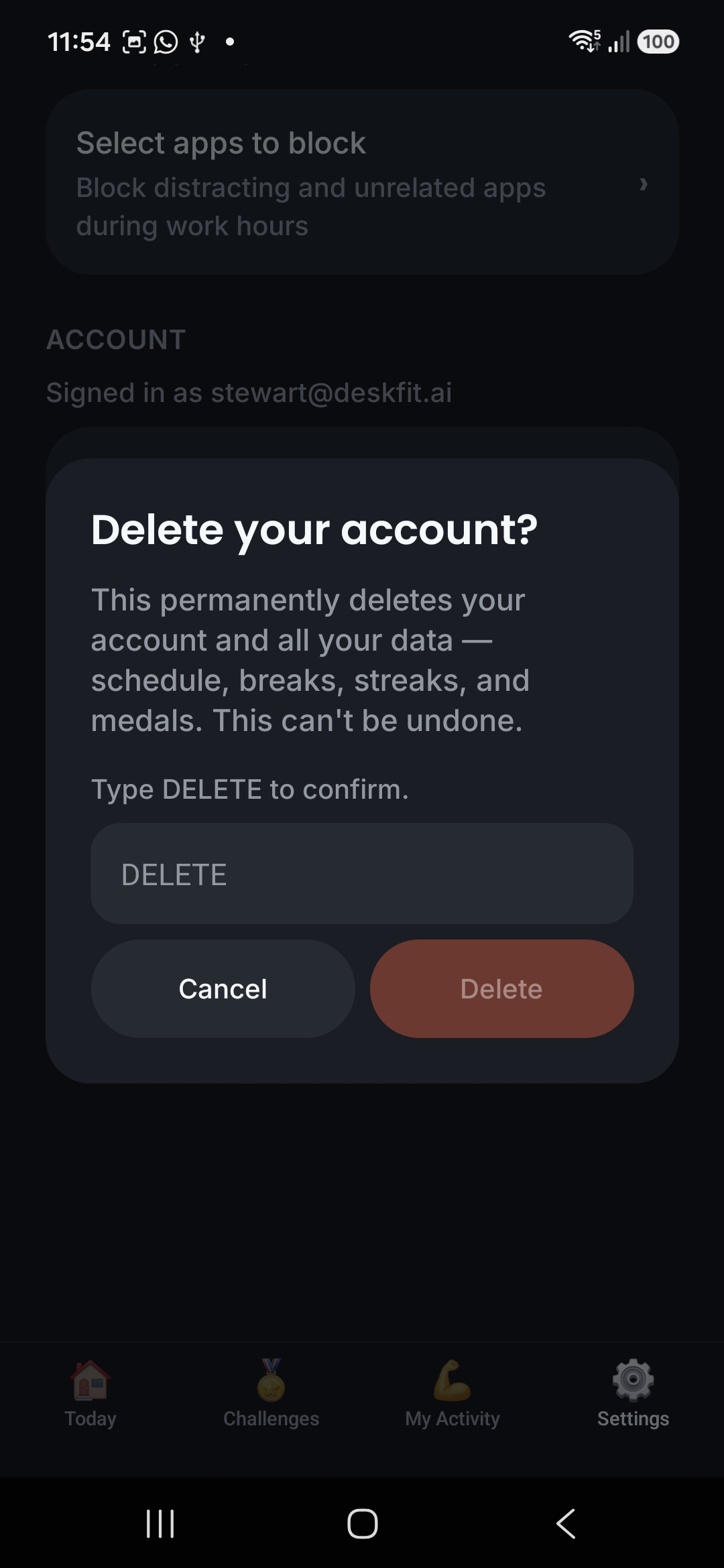
Type DELETE into the confirmation box and tap the red Delete button.
Your account and all your data are deleted from our database immediately. This can't be undone.
What gets deleted
All data associated with your account is permanently removed from our database as soon as you confirm deletion, including:
- Your account and sign-in details
- Your break schedule and settings
- Your break, streak, and mission history
- Your medals and challenge progress
There is no additional retention period — deletion is immediate and permanent, and nothing is kept in backups beyond the time it takes routine backups to roll over. If you want to use DeskFit again afterwards, you'll need to sign up and create a new account.
Camera frames used for rep counting are never stored in the first place — they're processed entirely on your device and are not part of your account data. See our Privacy Policy for full detail on what we collect.
Can't access the app? Email support@deskfit.ai from the address on your account and we'll delete your account and data on your behalf.